Cost Calculator

by Alexander Wells on 20 Dec 2017

Please copy and paste the link below to your internet browser to access the Morningstar Cost Calculator.


http://lt.morningstar.com/obcfky3yio/custom

/simplepage1/default.aspx


We will be running additional training in January, details of which can be found here.

Posted in: Morningstar, Research,

Adviser Workstation Training Day – One Week to Go

by Alexander Wells on 08 Nov 2017

On Wednesday November 15th we are running a training day at our London office on City Road for Morningstar Adviser Workstation.

For more details, please view the agenda here, and if you have not already registered, please contact us via adviser@morningstar.co.uk to reserve your place.

Posted in: Events, Morningstar,

Portfolio Diversification – the Correlation Matrix

by Alexander Wells on 13 Jun 2017

“Asset allocation is not that different from what mom told us when growing up: don’t put all your eggs in one basket.” – David I. Lampe

Having a well diversified portfolio is key to risk management, and asset allocation is a vital part of this.  Morningstar have the underlying holdings of thousands of funds, which makes it possible to compare two or more funds in order to see how closely they correlate.

Use the Correlation Matrix to see how similar the funds in a portfolio or list are.  Click the link in the image below for further details.

Posted in: Morningstar, Training Videos,

The 2017 Morningstar UK Investment Conference is nearly upon us!  Please click the banner below for further detailsMorningstar Investment Conference 2017

Posted in: Events, Morningstar,

One (risk) size may not fit all portfolios

by Alexander Wells on 20 Mar 2017

If you are using Investment Planning to make a recommendation of a single proposal that an investor should be working towards, there are more choices available.  Click below for details.

Posted in: Morningstar, Quick Tips,

Morningstar Definitions & Methodology Papers

by Alexander Wells on 28 Feb 2017

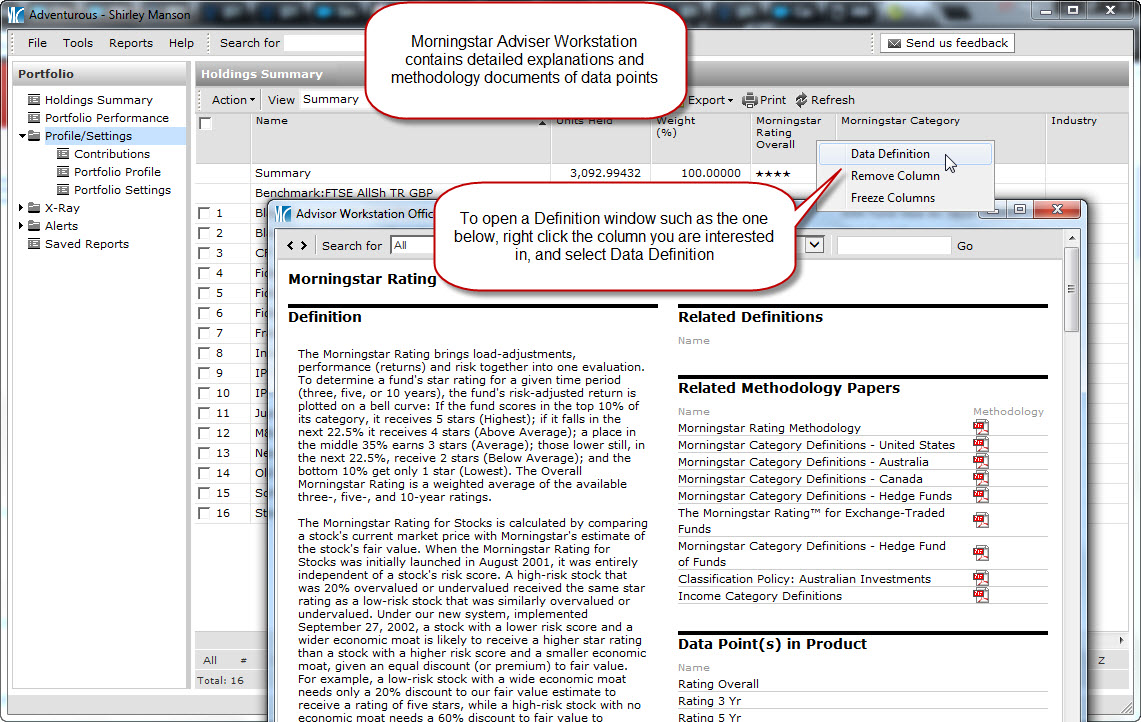
There is a wealth of data available within Adviser Workstation, so if you wanted to know if we include fund fees in total return, what the Equity Style box is displaying or how a fund can obtain a Gold analyst rating, click below for more information.

Posted in: Morningstar, Quick Tips,

Portfolio Types

by Alexander Wells on 30 Dec 2016

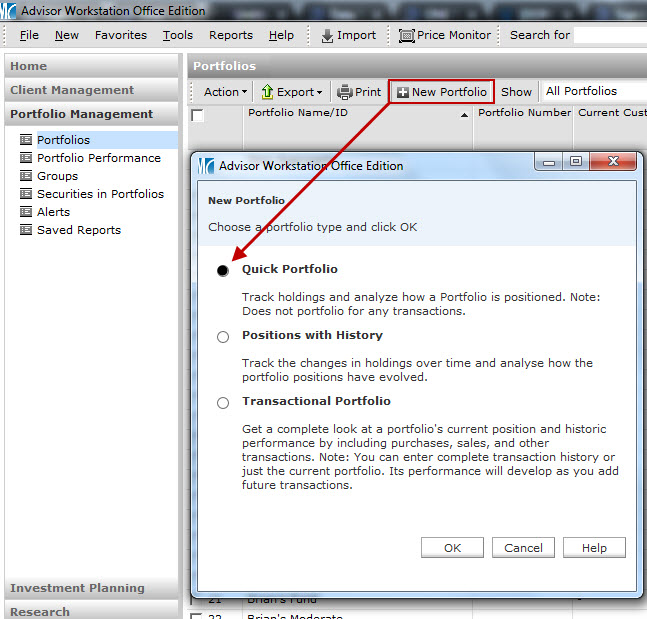
There are three portfolio types in Adviser Workstation, so if you have been presented with the options below and always choose ‘Quick Portfolio’, here is some further insight into what this does, compared to the other two portfolio types.  Click the image below for more detail

Posted in: Morningstar, Training Videos,

Comparing a portfolio with a model

by Alexander Wells on 28 Sep 2016

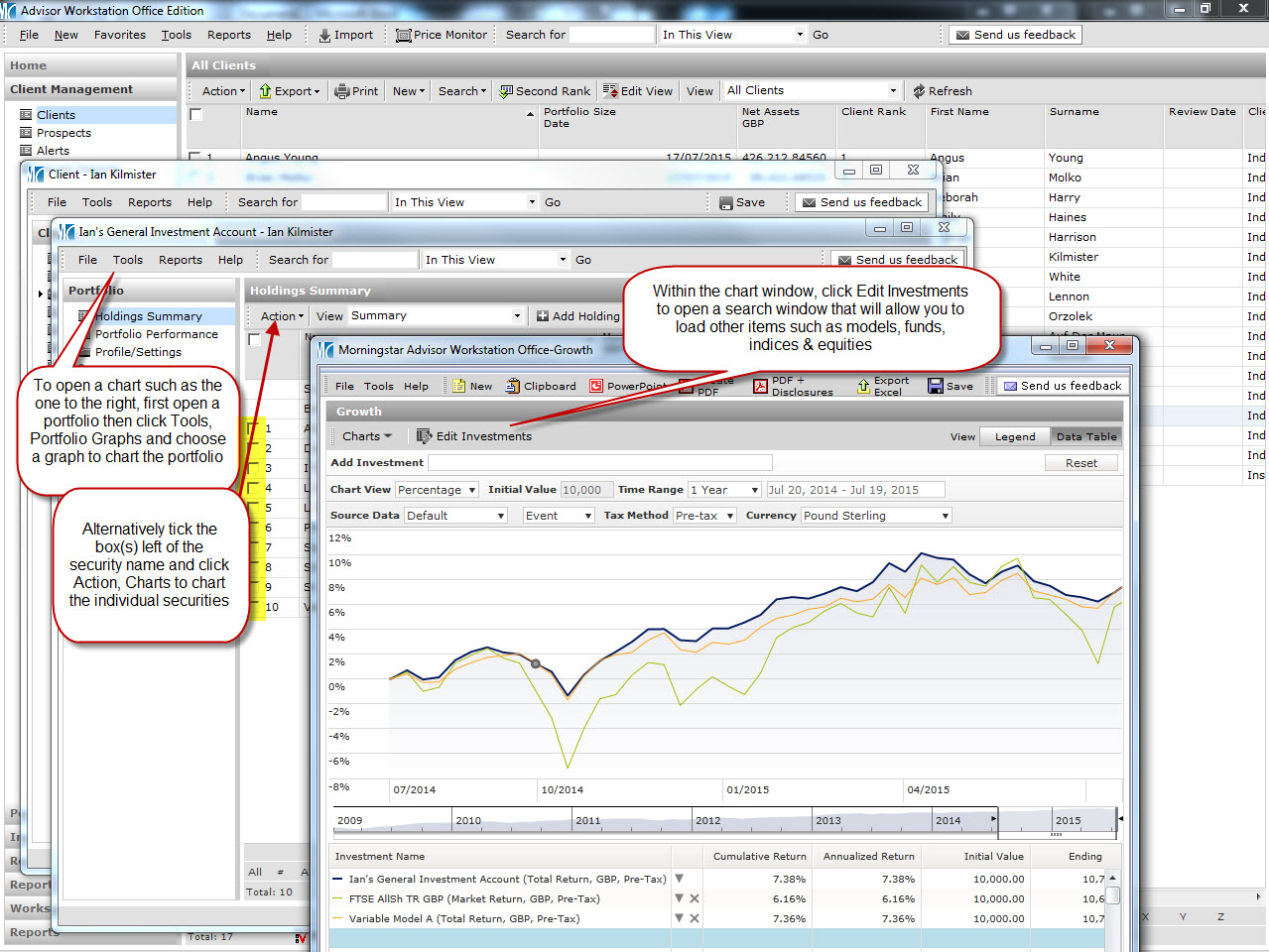
Hopefully you are aware of how to compare client portfolios with models using charts (if not, further details on that can be found here), though it is possible to do a side by side comparison to compare allocation, risk, performance and holdings, all in one handy window.

Click the image below for details on how to run such a comparison.

compare-643305_640

Posted in: Morningstar, Quick Tips,

What does my portfolio cost?

by Alexander Wells on 12 Sep 2016

There are many different fees fund companies can provide, so here are a few tips to help navigate your way in Adviser Workstation to the most relevant data.  Click the sign below for more details.

Posted in: Morningstar, Training Videos,
Importing data to Adviser Workstation

by Alexander Wells on 03 Jun 2016

Unless you are starting a new service from scratch, it is likely that you already hold client data in various platforms, providers and other pieces of software.  Morningstar have recognised this, and in order to save you the tedious task of re-entering all the information into Adviser Workstation manually, there are quick import options that allow you to transfer portfolio holdings data in moments.

Click here for information on importing to Adviser Workstation

Posted in: Morningstar, Training Videos,