MIFID II data in Adviser Workstation

by Alexander Wells on 16 Feb 2018

MIFID II came into effect on the 1st January 2018 and with it came a set of new requirements.  As a result, there are many new data points that are now available to view in Adviser Workstation, which we have handily grouped together for ease of use.

Please click MIFID II below to see how you can access this new information:

mifid-ii

Posted in: Quick Tips, Research,

Scenario comparisons in Investment Planning

by Alexander Wells on 28 Sep 2017

“The difficulty in life is the choice” – George A. Moore

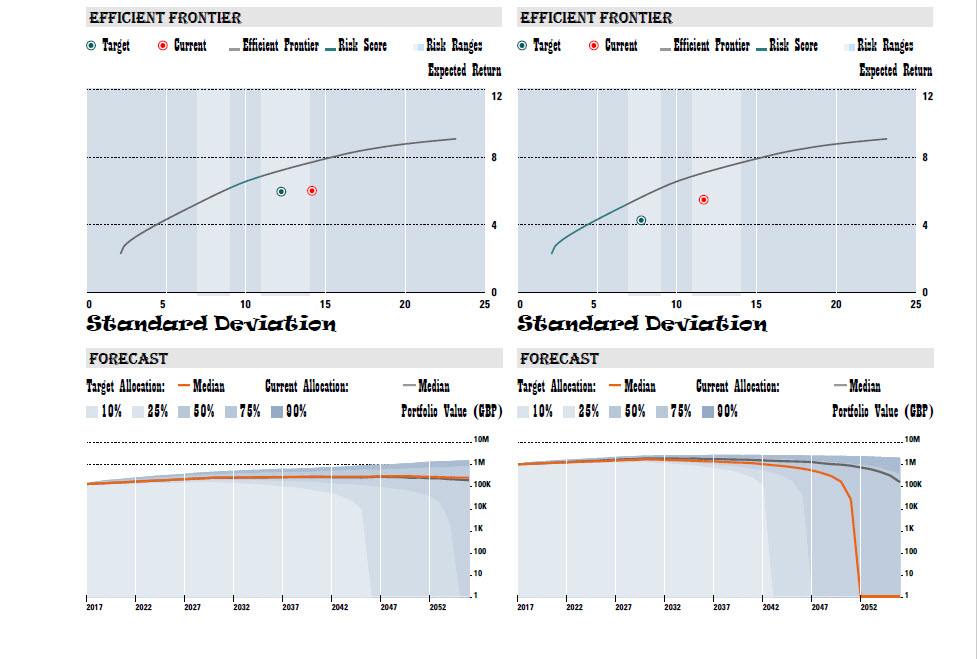
In a previous post we noted how to allocate at the portfolio level within Investment Planning (details here), but there are further options available for scenario comparison.

Illustrate the impact of allocating to different targets in a side by side comparison, and include this in your report.  Click the image below for details.

scenario-comparison-report-example

Posted in: Quick Tips,

Hold on to your model portfolio’s history

by Alexander Wells on 31 Jul 2017

Performance of a model portfolio is dependent on the securities held within it.  What we should also bear in mind are the securities that used to be held, as they also contribute to performance.

In order to see a depiction of a model portfolio’s performance that holds on to the history of changes the portfolio has undergone, use a Variable model.

Details of how to create and run a Variable model are available via the image below.

Hold on to portfolio changes

Posted in: Quick Tips,

One (risk) size may not fit all portfolios

by Alexander Wells on 20 Mar 2017

If you are using Investment Planning to make a recommendation of a single proposal that an investor should be working towards, there are more choices available.  Click below for details.

Posted in: Morningstar, Quick Tips,

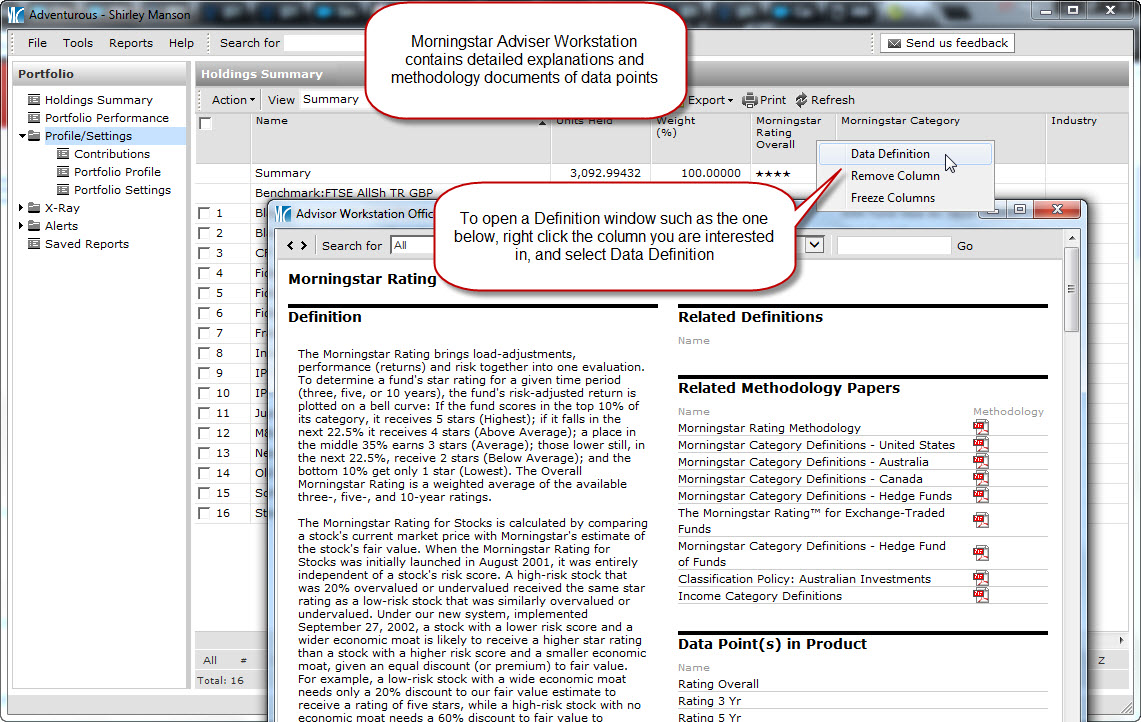
Morningstar Definitions & Methodology Papers

by Alexander Wells on 28 Feb 2017

There is a wealth of data available within Adviser Workstation, so if you wanted to know if we include fund fees in total return, what the Equity Style box is displaying or how a fund can obtain a Gold analyst rating, click below for more information.

Posted in: Morningstar, Quick Tips,

Today’s Portfolio Values

by Alexander Wells on 05 Dec 2016

“Investing should be more like watching paint dry or watching grass grow. If you want excitement, take your money and go to Las Vegas.” – Warren Buffett

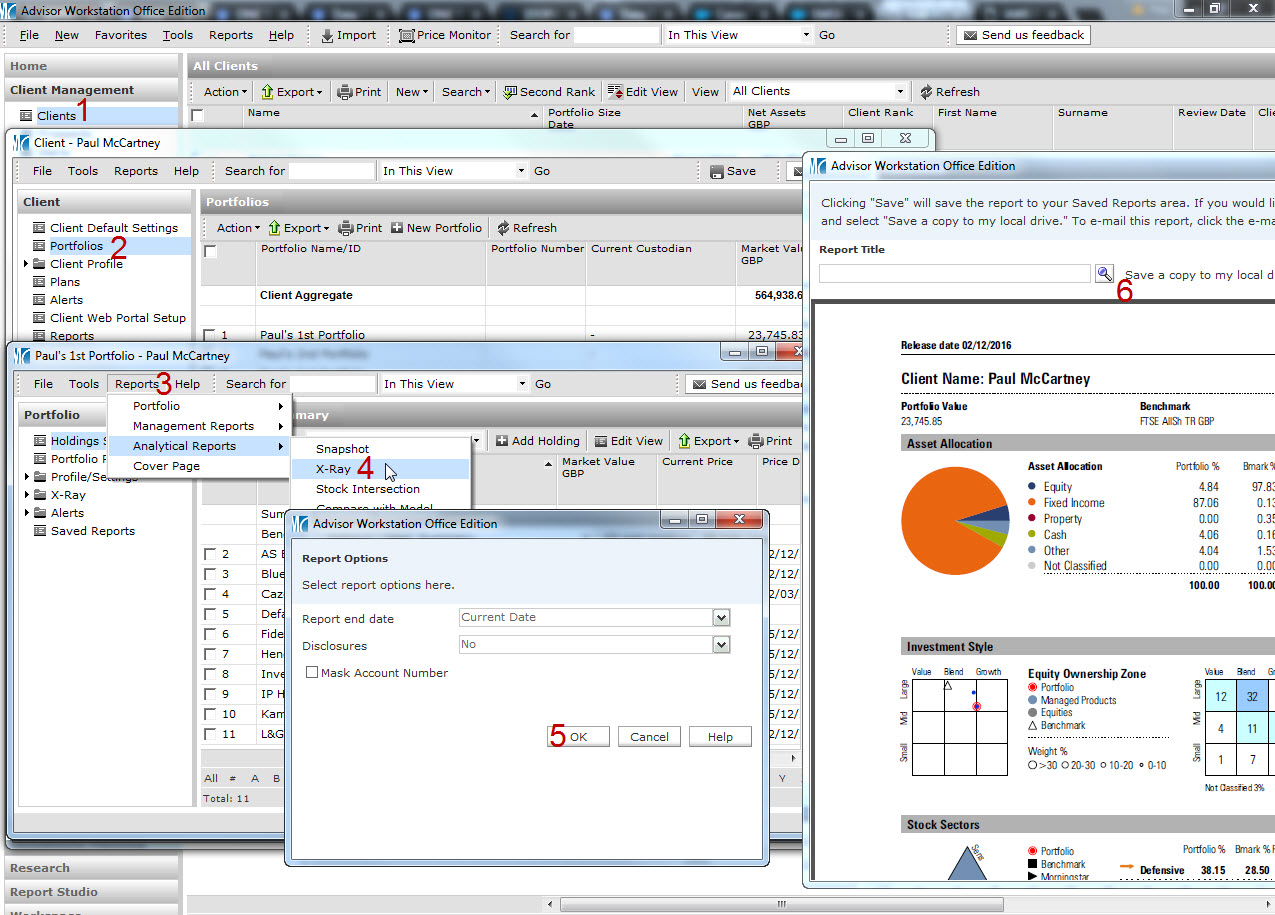
If you would like to view comprehensive information on an investor’s portfolio, the Snapshot report is one of the most relevant in Adviser Workstation, displaying data on performance, allocation and risk among other things. However this can only be run as of the last month or quarter end.

Should you or an investor wish to see a more current valuation, the X-Ray report can be used, as it’s possible to run this as of today’s date.  The X-Ray can be run by following steps in the link below.

Click here to see how to run an X-Ray report

Posted in: Quick Tips,

Sending a model portfolio to a client’s account

by Alexander Wells on 13 Oct 2016

If you have a model portfolio that you would like to place in to a client’s account, this can be done quickly and seamlessly, by converting the model to a client portfolio.  It is also possible to create models from client portfolios.  Click the image below to find out how.

Posted in: Quick Tips,

Comparing a portfolio with a model

by Alexander Wells on 28 Sep 2016

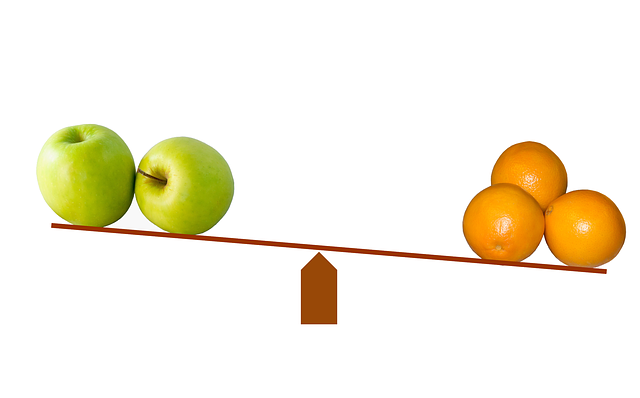
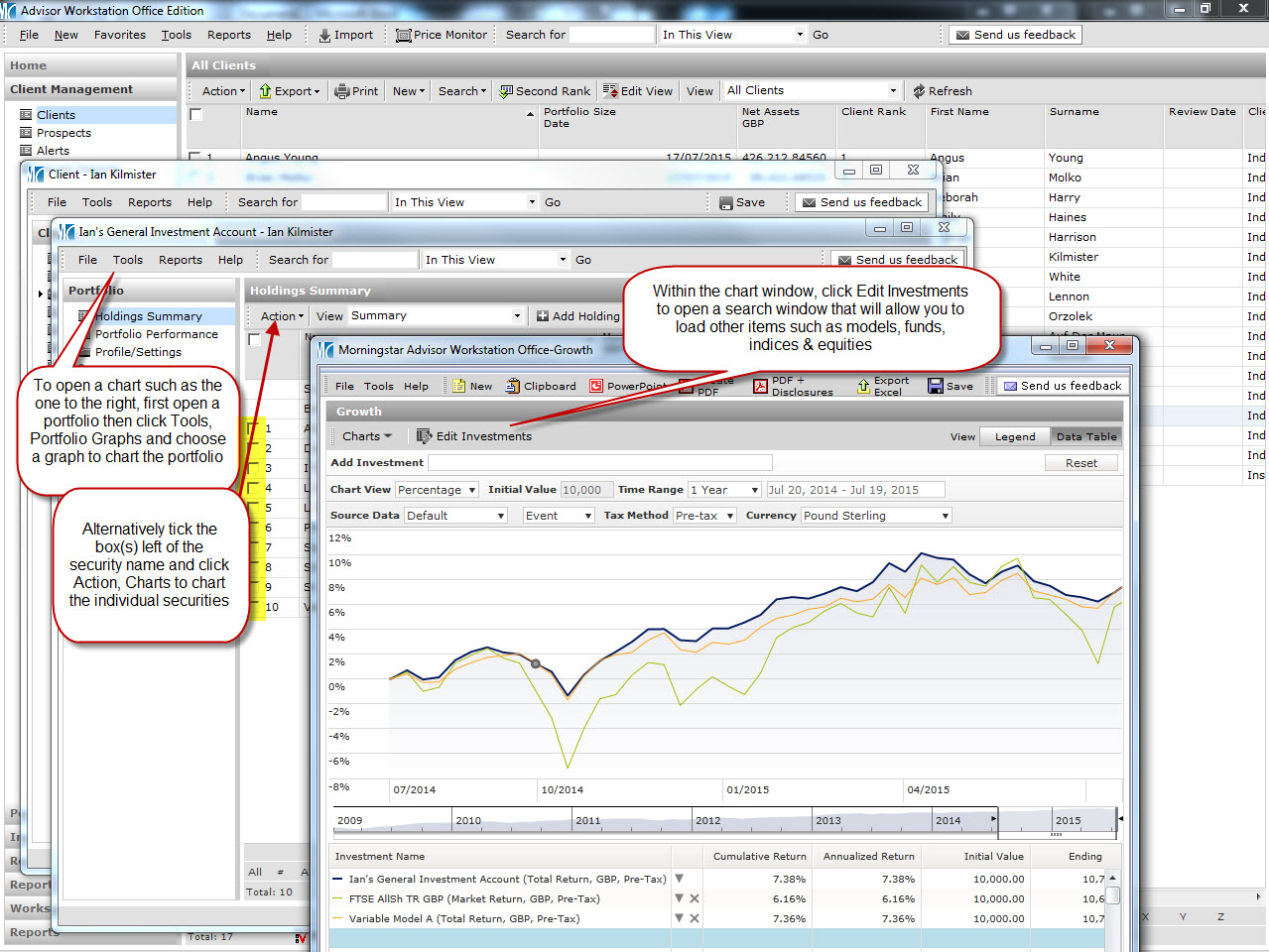
Hopefully you are aware of how to compare client portfolios with models using charts (if not, further details on that can be found here), though it is possible to do a side by side comparison to compare allocation, risk, performance and holdings, all in one handy window.

Click the image below for details on how to run such a comparison.

compare-643305_640

Posted in: Morningstar, Quick Tips,

Getting the most out of your growth chart

by Alexander Wells on 22 Aug 2016

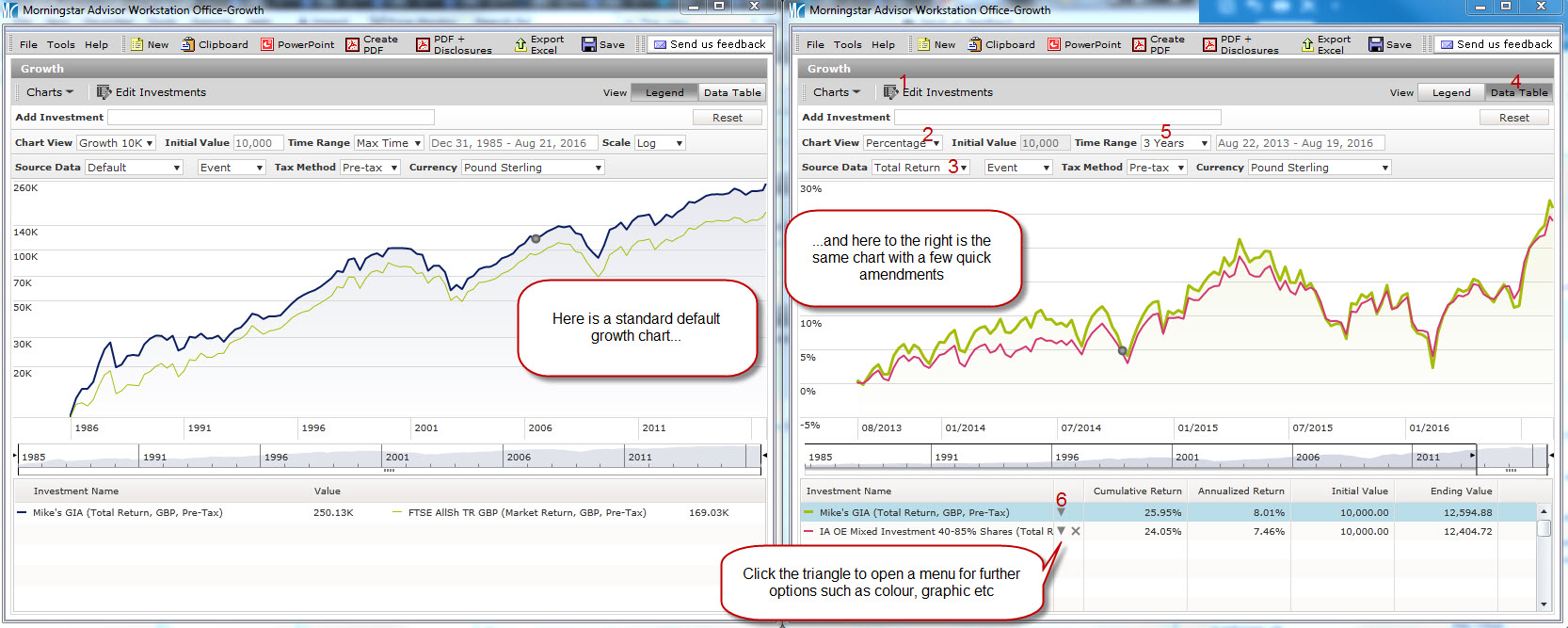
The Morningstar growth chart is a great way to quickly view performance, though there are a variety of ways to customise it to present the data you need, in the most effective way.  Click the chart below to see if you are using all the tools at your disposal.

Customise your charts

Posted in: Quick Tips,

Quicker access to your saved lists & searches

by Alexander Wells on 08 Aug 2016

If you have saved lists or searches that you use on a regular basis, consider adding these to your favourites menu for speedy access.  Click here to see how.

Posted in: Quick Tips,