The 2016 Morningstar Asset Allocations and Capital Market Assumptions have been uploaded to your account today, so please find below tips on where to find them, as well as a couple of useful applications:
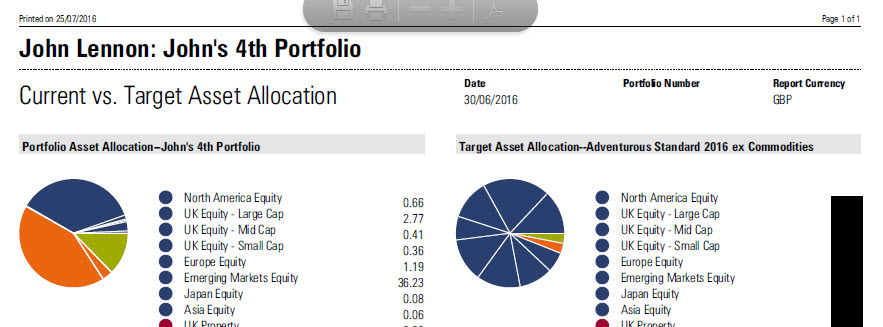
The 2016 Morningstar Asset Allocations and Capital Market Assumptions have been uploaded to your account today, so please find below tips on where to find them, as well as a couple of useful applications:
In response to the UK vote to exit the European Union, we have created workflow content for you to address the impact of Brexit on your accounts, by identifying the holdings with the highest UK exposure, and viewing each portfolio’s UK allocation.
Please click here to see a short video illustrating how you can view this information
With the addition of our new Sustainability ratings, here is a concise summary of the three Morningstar ratings, what they do, and how to use them effectively.

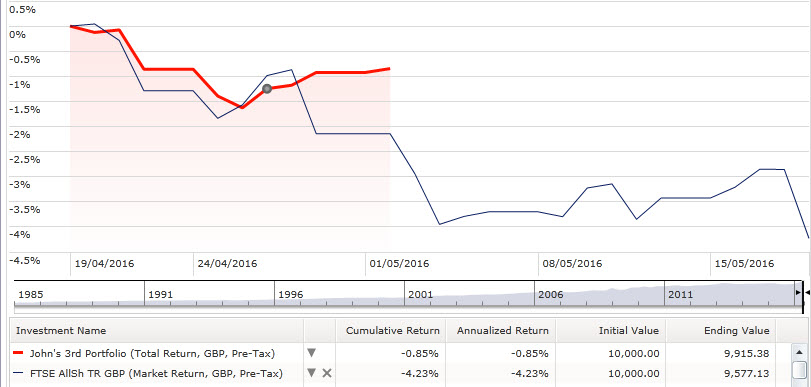
If you’ve ever run a portfolio growth chart and the latest date isn’t the last close of business, there’s clearly some data missing. There are a variety of reasons as to why this might have happened, so here are a few quick tips to help you find what’s at the root of this.
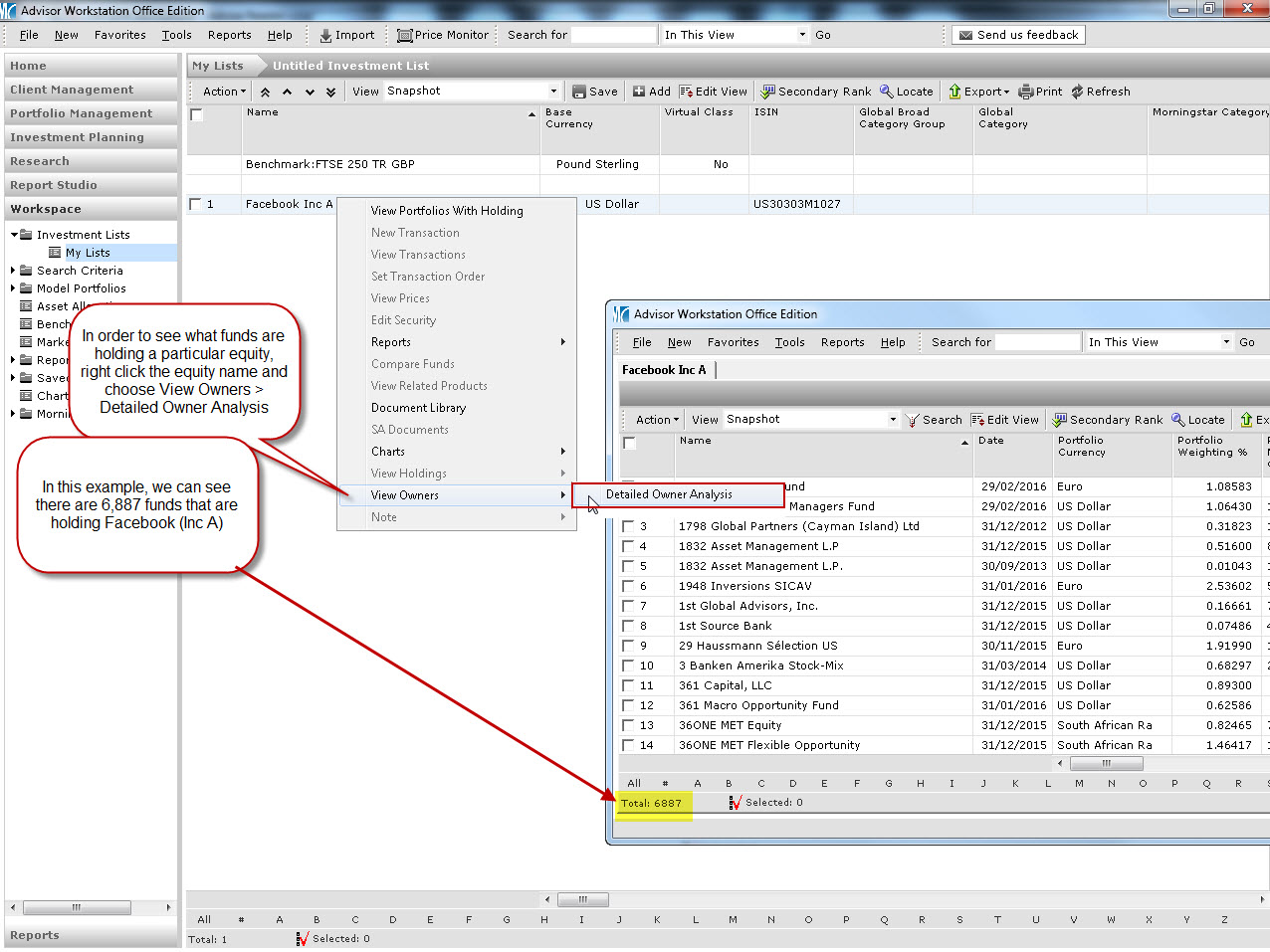
In a previous post we saw how you can view the equities a fund holds, but it’s also possible to look at an equity and see which funds are holding it. Click the image below to find out how.
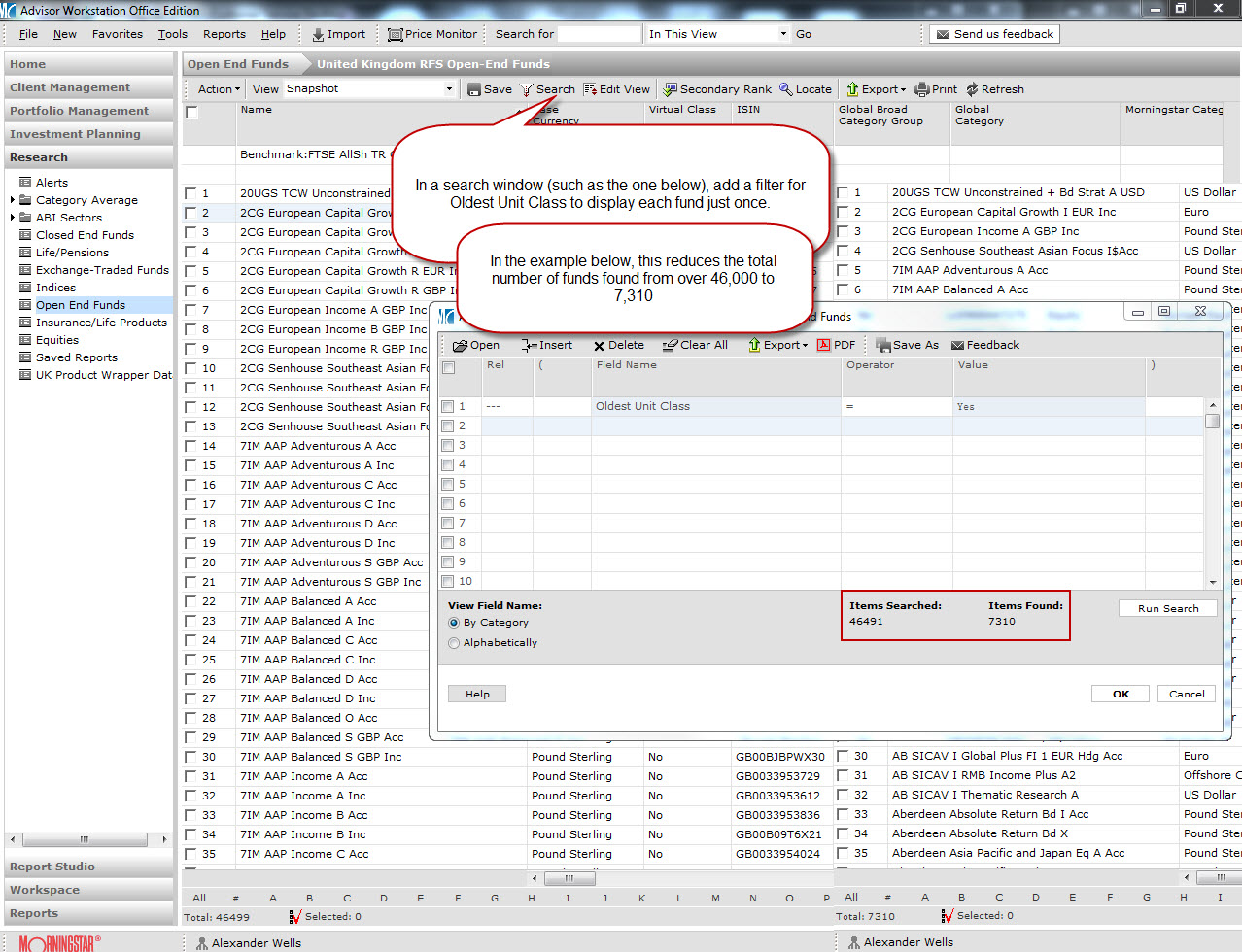
If you’re running a search that presents multiple share classes for every fund in your list, improve your visibility by using the ‘Oldest Unit Class’ search filter to shrink the list so there is just one share class per fund. Click the image below to see how to amend your search.
If you’ve ever amended the benchmark for a client account or portfolio in Adviser Workstation, this post is for you. There is a quick way to view (and change) the settings, including benchmarks, for all your clients and portfolios in one handy window. Click here to see how to view all your client/portfolio settings, in just two clicks
If you have the name or ISIN of a security and need more information on it (e.g. returns, risk measures, asset allocation etc.), it’s possible to search Adviser Workstation with just one click. Click here to find out how
Morningstar Adviser Workstation contains the full holdings data for thousands of funds, so if you’d like to know what equities a fund has, if it has any short positions, or exactly where that 10% allocation to property comes from, click the image below to see how you can view this information: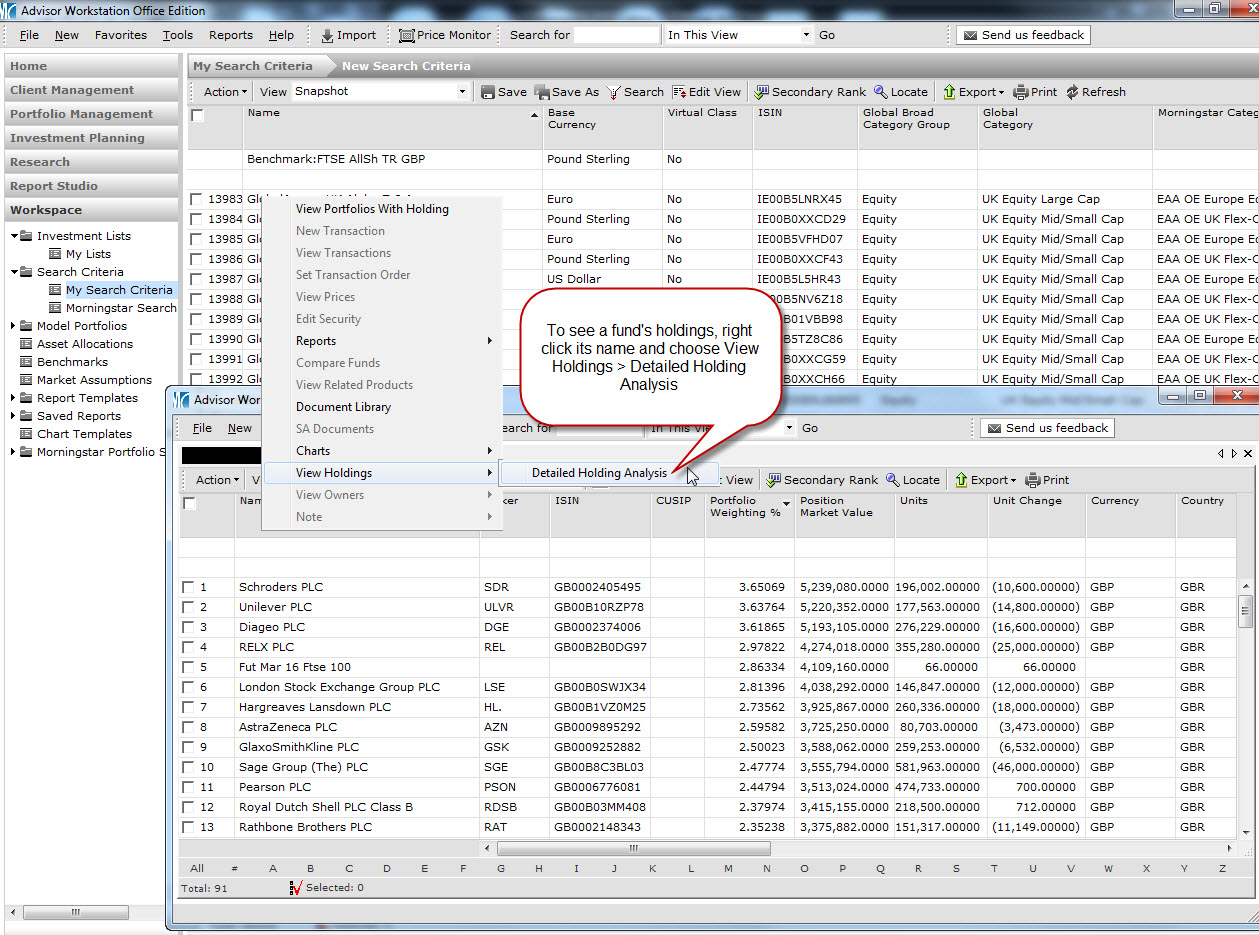
If you’re in Adviser Workstation and have a query, maybe a portfolio’s returns aren’t what you expect, or you can’t find a security you want, help is just one click away. Send Us Feedback will open an email to us that lets us know where you are in Adviser Workstation, so you can tell us what’s on your mind, and we can get right to the heart of your query.
