Create truly custom reports

by Alexander Wells on 14 Oct 2015

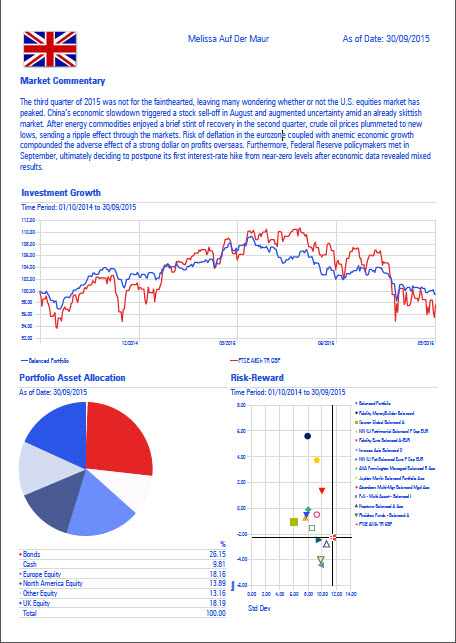
Morningstar Adviser Workstation features dozens of professionally designed reports. However with Report Studio, you can easily create your own custom reports, either as one-off reports for an individual client or report templates for use with your entire practice. In addition to specifying the components of each custom report, Report Studio allows you to incorporate your firm’s logo, custom disclosure information, corporate colour palette, and fonts to create materials that fully align with your firm’s identity and branding.

Click the example report below to visit the Report Studio support page, and see how you can create your own bespoke report today.
click here for further content

Posted in: Morningstar, Training Videos,

New Updated Risk Questionnaire

by Alexander Wells on 25 Sep 2015

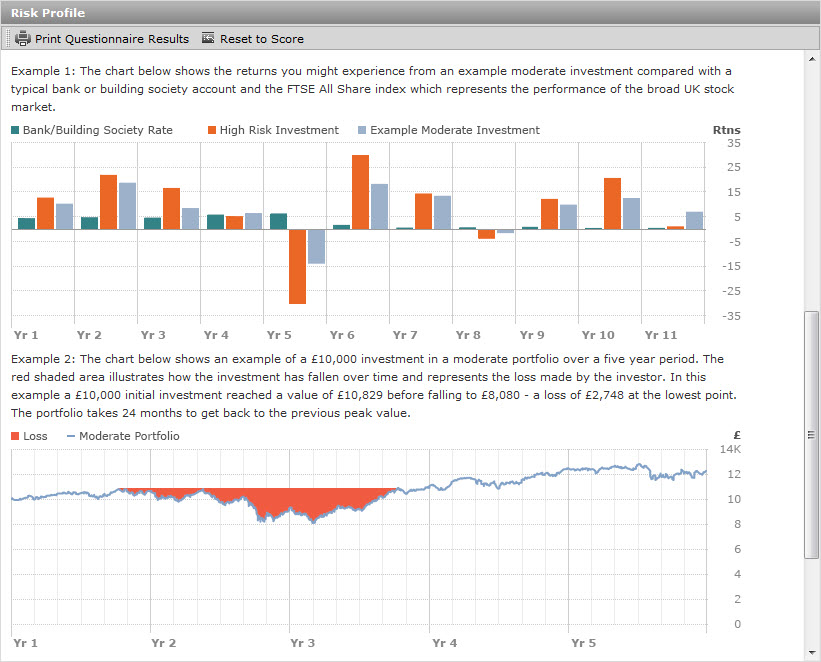
Over the past year, we have taken the feedback from advisers and worked with our consultancy group, asset allocation experts, adviser product and compliance teams to update our Risk Tolerance Questionnaire.  In the latest update to Morningstar Adviser Workstation, this questionnaire is now available, with changes including:

  • Plain English Campaign Crystal Mark
  • Documentation of investment goal
  • Quick tips to help investors
  • More details around timeframes and how long a client needs access to funds
  • Increase in size of investments shown in illustrations
  • Risk profile description graphics are more clearly examples and include Max Loss details

The new questionnaire can be found in both the Client Management and Investment Planning modules, while methodology can be accessed in the Training Essentials page

moderate example

Posted in: Morningstar, Training Videos,

Where am I invested?

by Alexander Wells on 21 Aug 2015

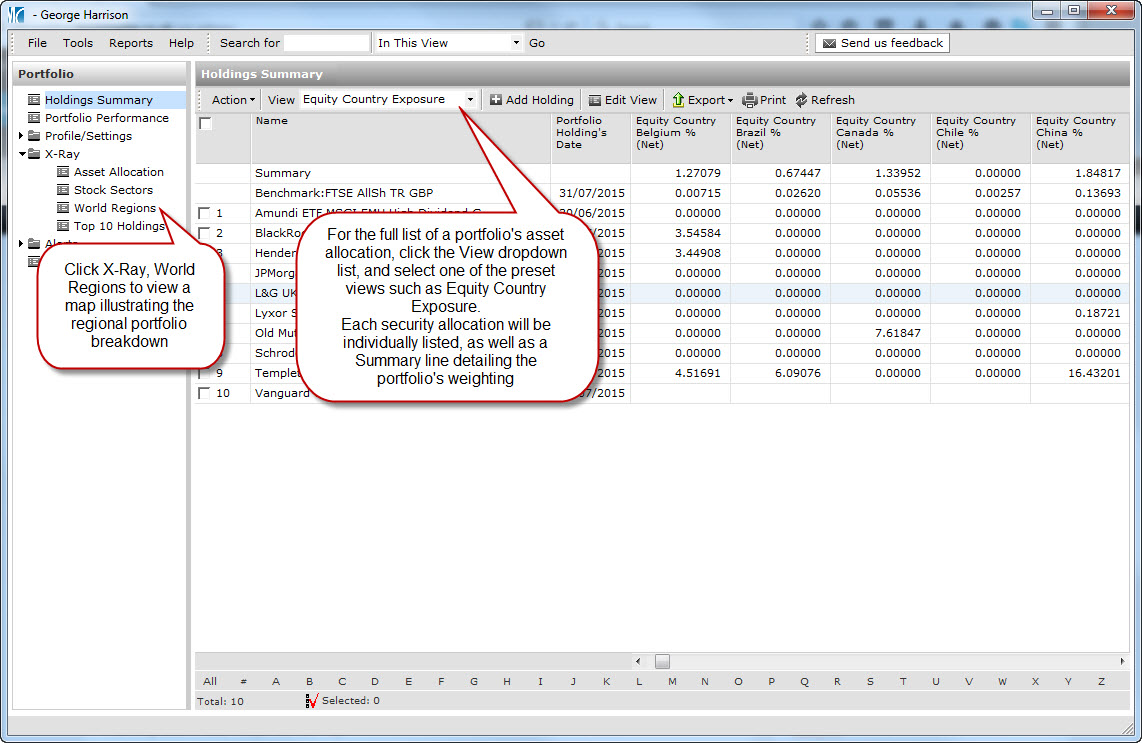
Morningstar Adviser Workstation contains the underlying holdings for thousands of funds, data that can then help with identifying exactly where a client or model portfolio is invested, and hence where changes may need to be made.  Adviser Workstation can highlight portfolio weightings on a country or regional basis, by clicking X-Ray > World Regions, or by changing the portfolio view, as illustrated in the link below

X-Ray World Regions

Posted in: Morningstar, Training Videos,

Chart your data

by Alexander Wells on 20 Jul 2015

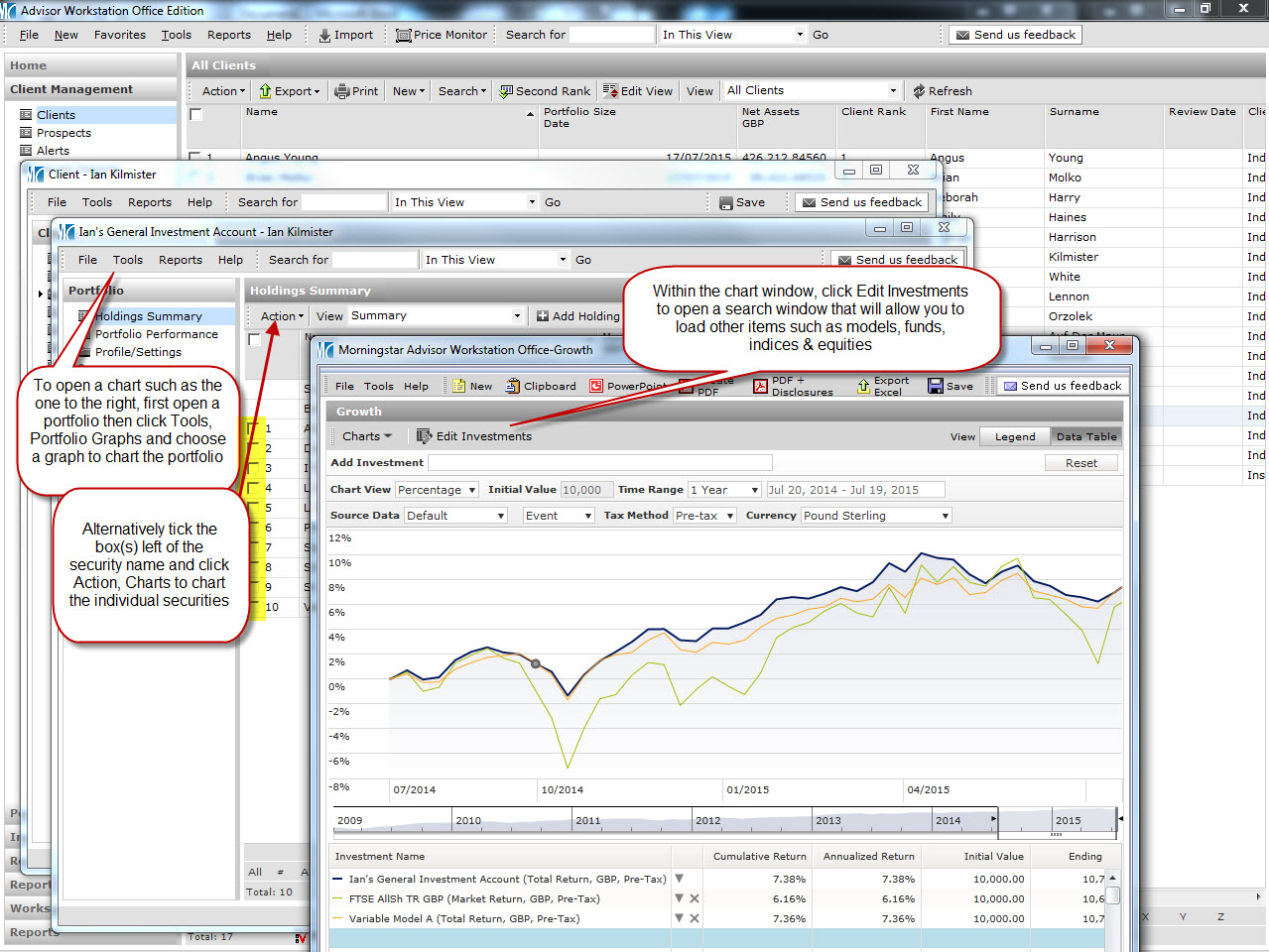
In last month’s update, we looked at how easily data could be imported from an Excel spreadsheet.  Now with this data in Adviser Workstation, how can this be analysed?  Charting your portfolios and/or holdings can be done in a moment, and can help illustrate to an investor exactly how their securities are performing.  Click the link in the chart below to see how make comparisons, which can then be turned into a PDF, PowerPoint slide or copied into a Word document:

Click for further information

Posted in: Morningstar, Training Videos,

Latest training update – Importing from Excel

by Alexander Wells on 12 Jun 2015

In our latest update to the training content we have available, we have added a training guide that illustrates how to import data from a Microsoft Excel spreadsheet, direct to Adviser Workstation.  The import would eliminate the need for tedious manual data entry, and could potentially save a vast amount of time.

Click the link below to open the guide, and see how straightforward it is to import your data to Adviser Workstation:

Importing from Microsoft Excel

Posted in: Morningstar, Training Videos,

New training content for Adviser Workstation

by Alexander Wells on 13 May 2015

In order to help advisers get up to speed using Morningstar Adviser Workstation, and discover the features that can assist with managing a practice, we are currently in the process of updating the training content.  Visit the new support & training page for screenprints, video clips and more at /training/training-essentials/

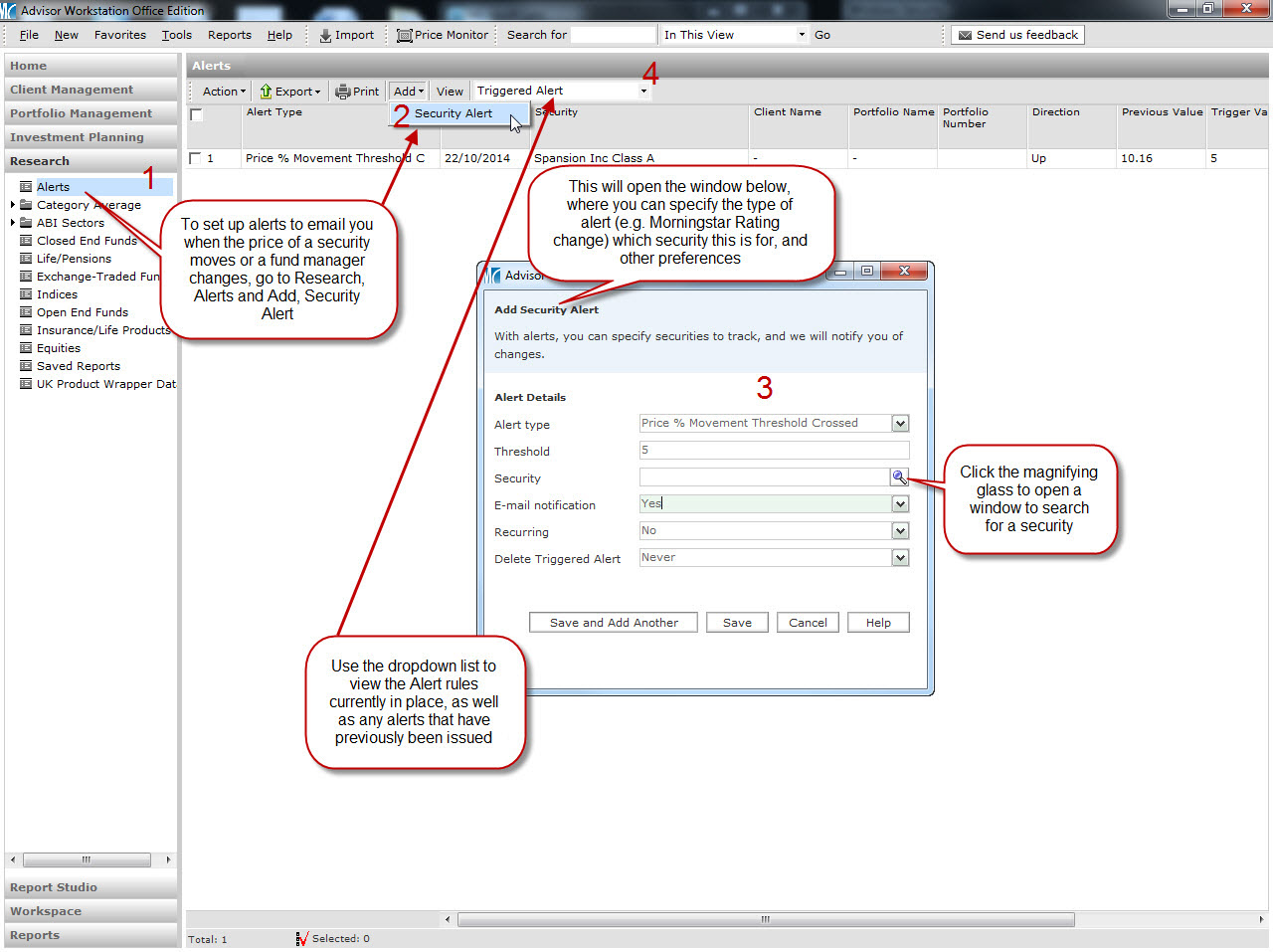
Below is an example of content, in this case how security alerts can be set up:

 Security alerts

Posted in: Morningstar, Quick Tips, Training Videos,

How-To Video: Performance Reporting

by jmurphy on 13 Jul 2011

This video reviews the process by which you can create and manage your own customized performance reports. Show money-weighted or time-weighted returns for any time period you like and save report templates for quick and easy performance reporting. Click here to view the video.

Posted in: Training Videos,

How-To Video: Batch Reporting

by jmurphy on 12 Jul 2011

This quick training video shows how to setup batch report templates and schedule their production. This allows you to automatically generate client reports at regular intervals and deliver them via the client web portal. Click here to view the video.

Posted in: Training Videos,

How-To Video: Investment Plan

by jmurphy on 01 Apr 2011

This video shows the investment planning tool within Adviser Workstation and explains how to create a plan and generate a report for a client. Use this area of the system to asses a client’s attitude to risk, determine an appropriate asset allocation, recommend an appropriate portfolio of investments and produce a wealth forecast. Click here to view the video.

Posted in: Training Videos,

How-To Video: Client Web Portal

by jmurphy on 26 Oct 2010

The client web portal can be used as a secure delivery method and archive for client reports. Posting reports to the web portal allows the client 24 hour access to their reports and gives you a seamless, paperless delivery method that can add value to your service proposition. Click here to view a short demonstration video.

Posted in: Training Videos,