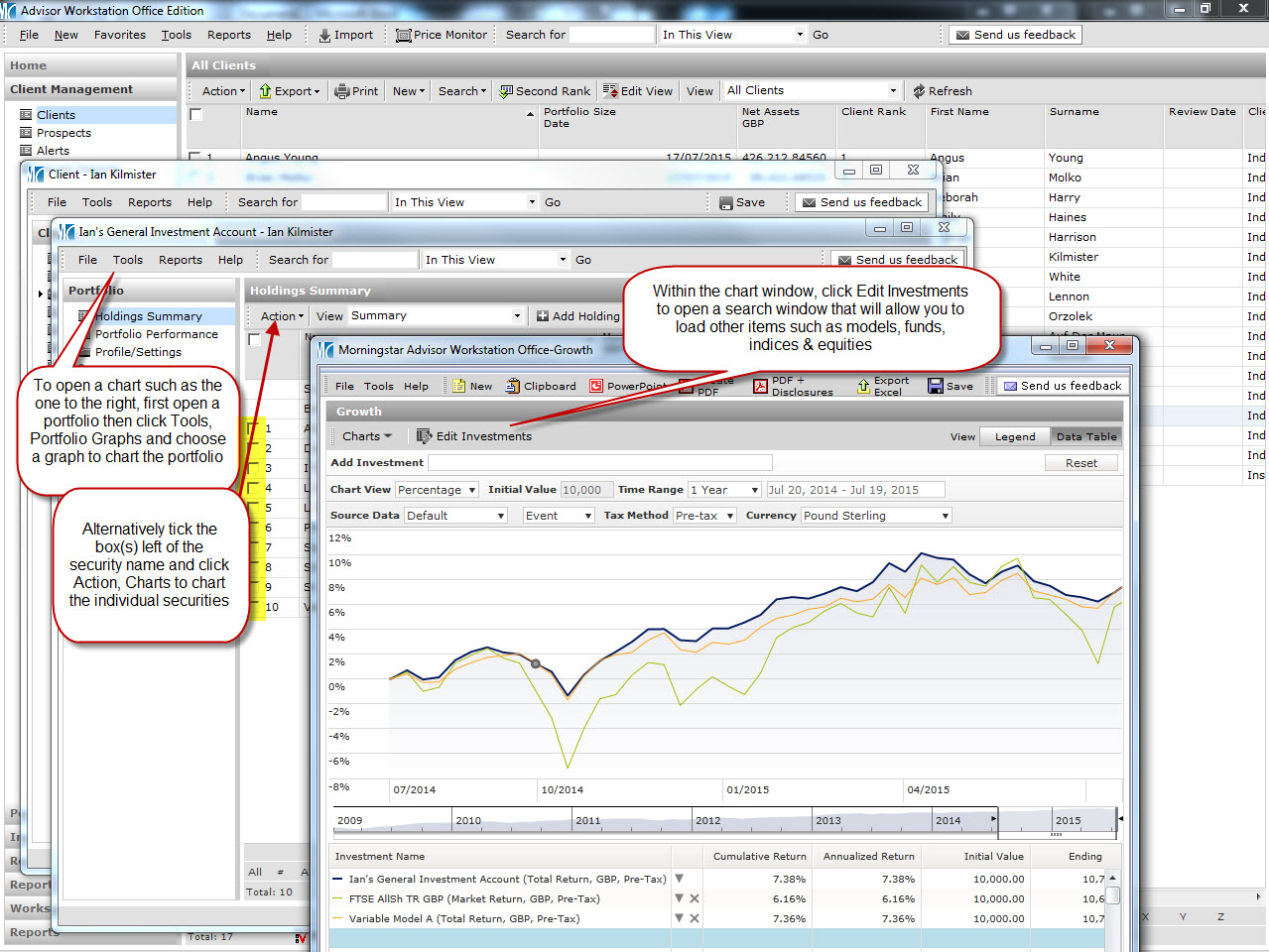
It is possible to compare client portfolios with models using charts (further details on that can be found here), though it is also possible to do a side by side comparison to compare allocation, risk, performance and holdings, all in one handy window, which can easily be turned into a pdf.
Compare with model example report
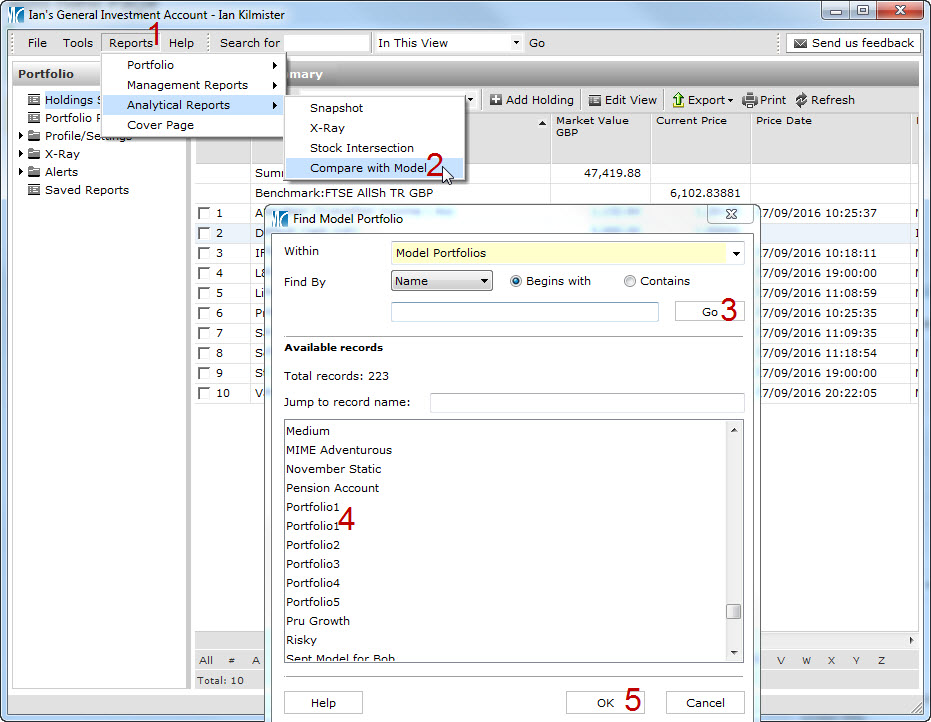
In order to run such a report, open a client’s portfolio and go to Reports > Analytical Reports > Compare with Model as illustrated in this screenprint.