Morningstar Adviser Workstation contains detailed information on thousands of securities though it’s possible to include securities of your own creation, as well as additional currencies, asset classes and more, and amend the settings on these as necessary.

Definition Master is the tool that provides you the option to amend your security settings. To learn more, please click the icon below for further information:

Security Settings - click here for further information


Posted in: Morningstar, Training Videos,

Contact us – with one click

by Alexander Wells on 18 Jan 2016

If you’re in Adviser Workstation and have a query, maybe a portfolio’s returns aren’t what you expect, or you can’t find a security you want, help is just one click away.  Send Us Feedback will open an email to us that lets us know where you are in Adviser Workstation, so you can tell us what’s on your mind, and we can get right to the heart of your query.

Send Us Feedback

Posted in: Quick Tips,

Find all clients that own a specific security

by Alexander Wells on 30 Dec 2015

If you’re looking to replace a security that your clients own, or simply want to know who’s invested in something, it’s quick and easy to find this out.  Go to Portfolio Management > Securities in Practice, right click the security name and choose View Portfolios with Holding

Posted in: Quick Tips,

Providing investors visibility via the web portal

by Alexander Wells on 21 Dec 2015

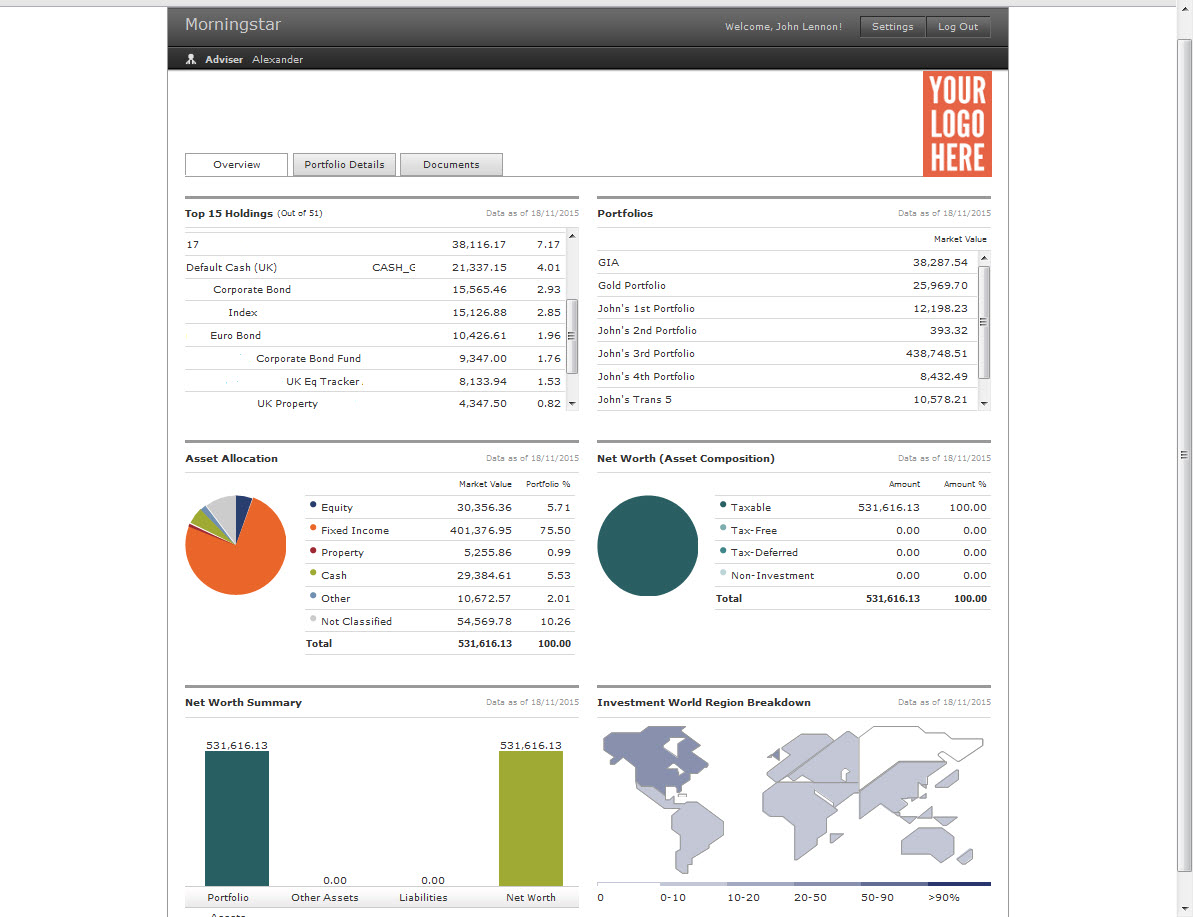
The Morningstar Client Web Portal makes it easy to quickly and securely share important documents with your clients 24 hours a day, 7 days a week. It can be used as a stand-alone site or the login page can be embedded directly in your firm’s website. Setup is quick and simple, and the Client Web Portal is available as soon as you activate your Adviser Workstation subscription.

The Web Portal also has the option to include detailed portfolio information within each investor’s personal portal. The overview tab proves a summary of current investments, including market values, top 10 holdings, asset allocation, and world regions. Click the graphic below for further details

Click for further information

Posted in: Morningstar, Training Videos,

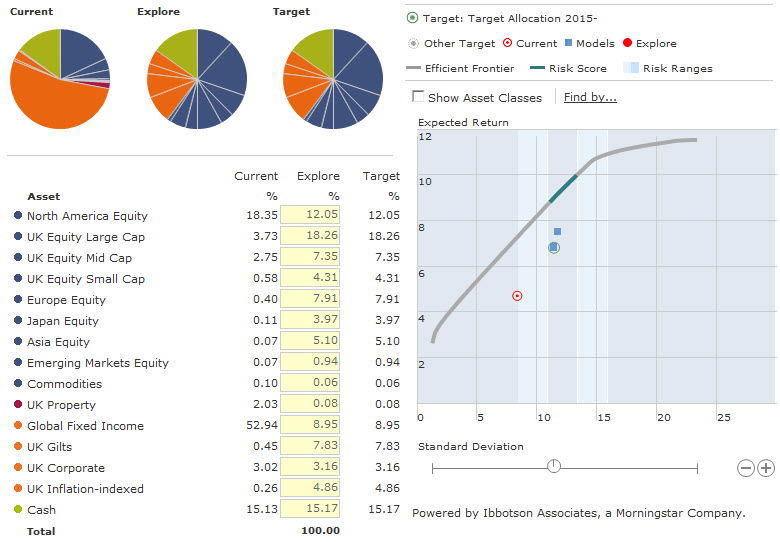
If you have investors approaching retirement, or even already in drawdown, the Investment Planning tool can assist with helping them to plan their finances.

An investment plan clearly presents the current asset allocation, offers the ability to compare this with a recommendation based on the investor’s attitude to risk, and then illustrates graphically the potential outcomes using our Ibbotson market assumptions.

Finally, it is possible to produce a fully customisable report to provide the investor the information they need to make an informed decision.

Click for more content

Posted in: Morningstar, Training Videos,

Create truly custom reports

by Alexander Wells on 14 Oct 2015

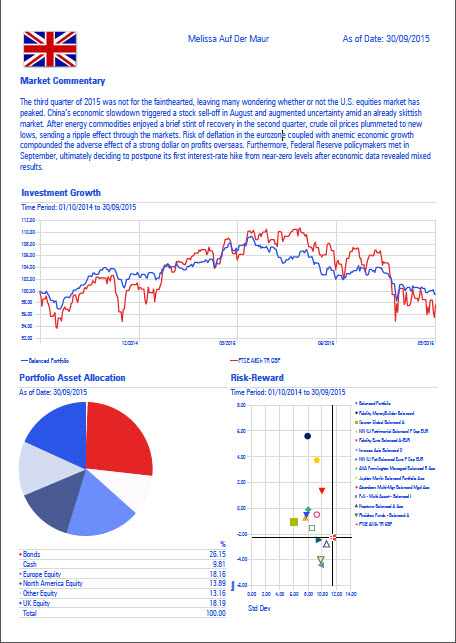
Morningstar Adviser Workstation features dozens of professionally designed reports. However with Report Studio, you can easily create your own custom reports, either as one-off reports for an individual client or report templates for use with your entire practice. In addition to specifying the components of each custom report, Report Studio allows you to incorporate your firm’s logo, custom disclosure information, corporate colour palette, and fonts to create materials that fully align with your firm’s identity and branding.

Click the example report below to visit the Report Studio support page, and see how you can create your own bespoke report today.

click here for further content

Posted in: Morningstar, Training Videos,

New Updated Risk Questionnaire

by Alexander Wells on 25 Sep 2015

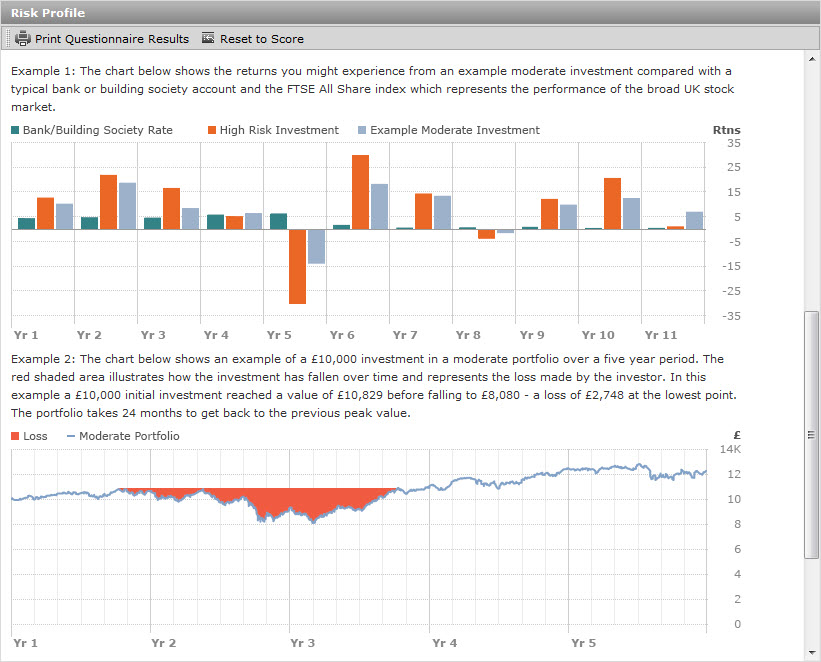
Over the past year, we have taken the feedback from advisers and worked with our consultancy group, asset allocation experts, adviser product and compliance teams to update our Risk Tolerance Questionnaire.  In the latest update to Morningstar Adviser Workstation, this questionnaire is now available, with changes including:

  • Plain English Campaign Crystal Mark
  • Documentation of investment goal
  • Quick tips to help investors
  • More details around timeframes and how long a client needs access to funds
  • Increase in size of investments shown in illustrations
  • Risk profile description graphics are more clearly examples and include Max Loss details

The new questionnaire can be found in both the Client Management and Investment Planning modules, while methodology can be accessed in the Training Essentials page

moderate example

Posted in: Morningstar, Training Videos,

Where am I invested?

by Alexander Wells on 21 Aug 2015

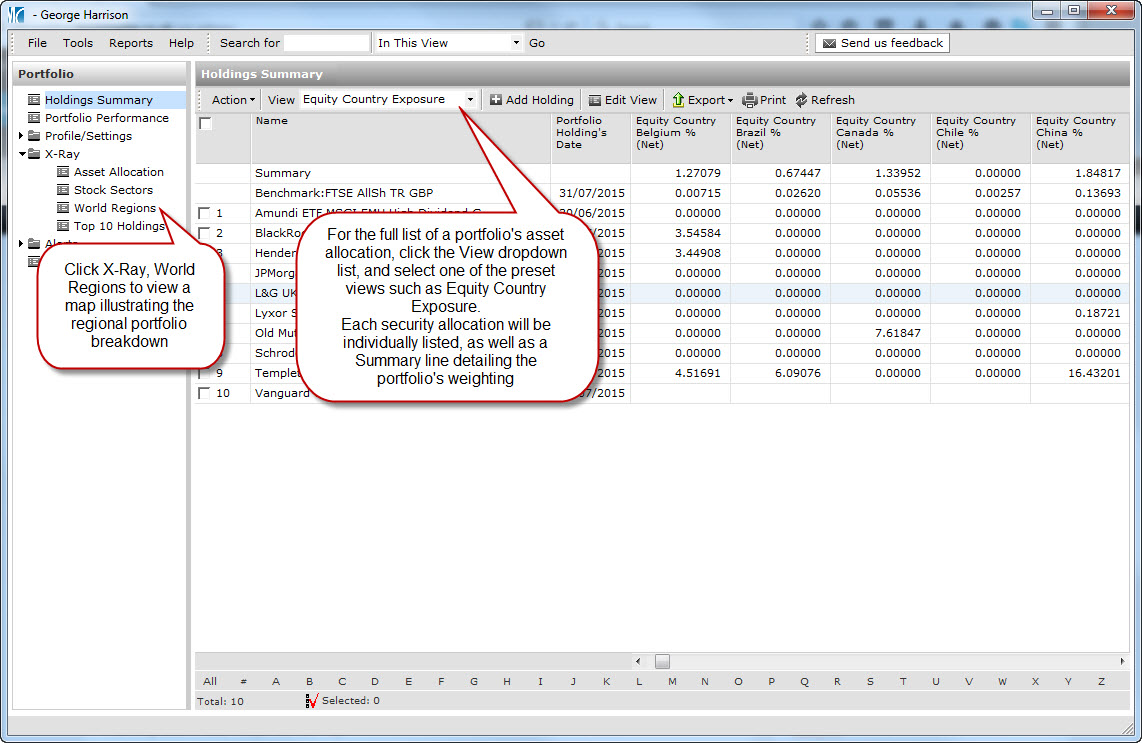
Morningstar Adviser Workstation contains the underlying holdings for thousands of funds, data that can then help with identifying exactly where a client or model portfolio is invested, and hence where changes may need to be made.  Adviser Workstation can highlight portfolio weightings on a country or regional basis, by clicking X-Ray > World Regions, or by changing the portfolio view, as illustrated in the link below

X-Ray World Regions

Posted in: Morningstar, Training Videos,

Chart your data

by Alexander Wells on 20 Jul 2015

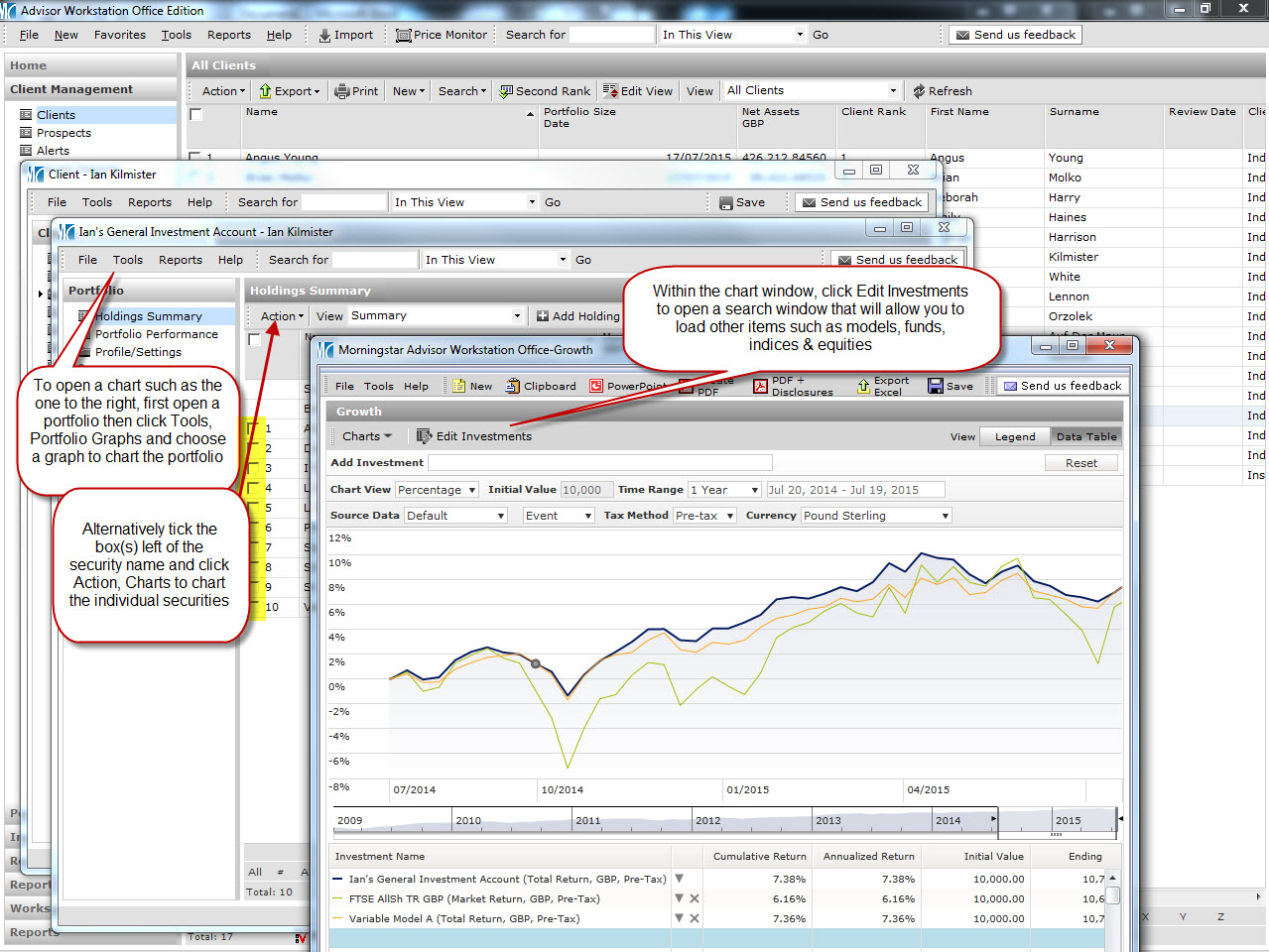
In last month’s update, we looked at how easily data could be imported from an Excel spreadsheet.  Now with this data in Adviser Workstation, how can this be analysed?  Charting your portfolios and/or holdings can be done in a moment, and can help illustrate to an investor exactly how their securities are performing.  Click the link in the chart below to see how make comparisons, which can then be turned into a PDF, PowerPoint slide or copied into a Word document:

Click for further information

Posted in: Morningstar, Training Videos,

Latest training update – Importing from Excel

by Alexander Wells on 12 Jun 2015

In our latest update to the training content we have available, we have added a training guide that illustrates how to import data from a Microsoft Excel spreadsheet, direct to Adviser Workstation.  The import would eliminate the need for tedious manual data entry, and could potentially save a vast amount of time.

Click the link below to open the guide, and see how straightforward it is to import your data to Adviser Workstation:

Importing from Microsoft Excel

Posted in: Morningstar, Training Videos,